


Baby Panda World-Learning Game
4.32.14K Reviews
App Specs
- Version
- 8.39.39.92
- Updated On
- License
- Free
- Downloads
- 100,000,000+
- Developer
- BabyBus
- Categories
- Educational
- Platform
- Android, iOS
Screenshots




 Analysis by AppCompare
I don’t judge a children’s game only by whether it holds a child’s attention. I also want to know whether a young player can make sense of what is on screen, whether play can be paced to suit the moment, and how much help an adult may need to provide. Baby Panda World-Learning Game is an educational game from BabyBus that brings a range of activities together in one place. Its cheerful presentation makes a friendly first impression, but the best way to use it is as a shared, short play option rather than an automatic replacement for hands-on activities.
First impressions and finding an activity
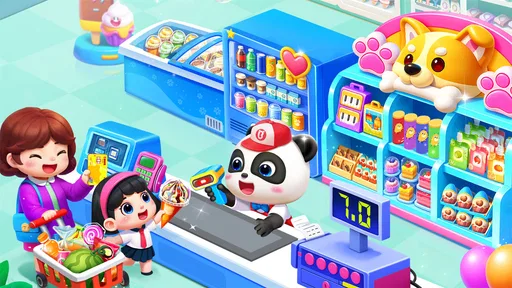
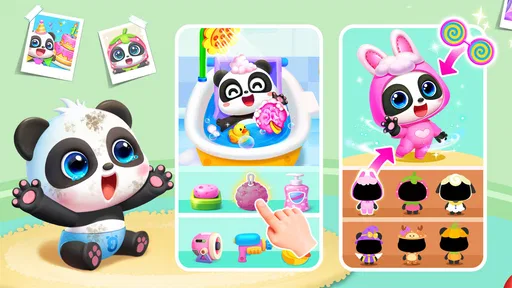
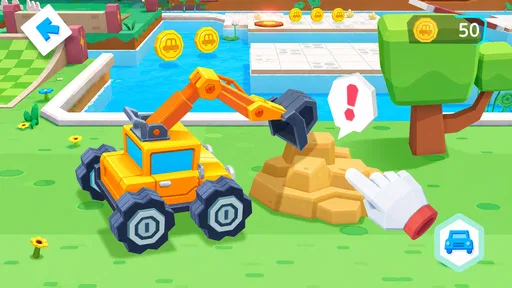
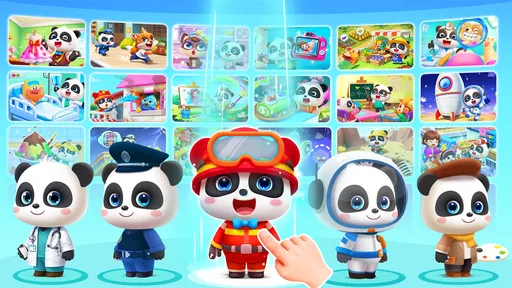
The game’s bright scenes and expressive characters give children visual cues to explore, and the mix of activities offers a change of pace without requiring a switch to a different app. That variety can be useful when a child’s interest shifts quickly: an adult can help them move from one kind of play to another instead of searching through separate downloads.
Still, a lively screen is not the same as a simple one. When introducing it, I’d sit with a child at first and let them explore a single activity at a time. That gives you a chance to see what they understand, whether they can return to a choice they like, and which parts need a quick explanation. A child who cannot read yet may respond well to pictures, but visual navigation can still take practice.
Guides and Analysis on Baby Panda World-Learning Game
Exploring the Colorful World of Baby Panda
Right off the bat, Baby Panda World-Learning Game is a visual treat. The colors are vibrant, and the characters are downright adorable. You jump into a world bustling with activities that are designed to spark curiosity and learning in little ones. Think of it as a digital playground where pandas are your child’s best buddies.
What’s Inside the Panda’s Playground?
One of the things that immediately caught my attention is the variety of mini-games available. There’s a mix of everything: from cooking classes that let your child whip up virtual meals, to art sessions where they can splash colors around without making a mess (my walls are thankful!).
Each game is crafted to develop different skills. For instance, the cooking games are great for honing motor skills and teaching about nutrition, while the art sections bolster creativity. It’s like a buffet of learning where kids can pick and choose what tickles their fancy.
Play that invites different kinds of participation
The range of activities also gives adults a practical way to adapt the session to a child’s mood and energy. If a child wants to tap and try things independently, an interactive game may suit them; if they are more interested in watching first, you can explore together and talk through what is happening. I would treat these moments as invitations to participate, not as a test a child has to pass.
Worth Reading Before You Choose

ESPN’s Live Game View Makes Following Close Games Easier

QuizzLand Review: A Good Fit for Short Trivia Breaks, Not Every Player

Basketball Stars: Multiplayer Is Fast, but Can It Recover When Matches Go Wrong?

WEBTOON Turns Phone Updates Into a Better Reading Routine

Link to Windows Runs on Shared Habits, Not Social Feeds

How Alibaba.com Dominates the B2B Marketplace
For a child who is still developing precise finger control, broad, forgiving actions are usually easier than tiny targets. I’d watch how they manage the controls before leaving them to play alone, especially if they are younger or unfamiliar with touchscreens. If reaching, tapping, or coordinating movements is difficult, an adult can take turns, guide a finger, or simply narrate while the child chooses what to do. That keeps the experience social without assuming every child interacts in the same way.
The Learning Factor
Now, let’s talk about the educational angle. Baby Panda World-Learning Game does a commendable job incorporating learning without making it obvious. Whether it’s counting, identifying colors, or even understanding simple storytelling, the app subtly integrates these elements into play. It’s like hiding veggies in a smoothie – they won’t even know they’re learning!
I’d keep expectations grounded: a game can prompt conversation and give a child a chance to practise familiar ideas, but it cannot tell an adult what the child has understood. A useful routine is to pause after a mini-game and connect one thing on screen to real life. A pretend meal can lead into talking about foods while setting the table; a color activity can become a quick hunt for matching objects nearby. That small step makes the play feel less like isolated screen time.
Interaction and Engagement
Here’s where the app truly shines. The interactive nature of the games keeps kids engaged. You know those moments when kids get bored and start poking around for something else? Not happening here. The app keeps them glued with its variety and interactive elements. Plus, the feedback in the games is encouraging, with lots of cheers and positive reinforcement.
For a realistic everyday use, I can see it working during a short wait at home while dinner is being prepared, or as a calm activity when an adult needs to finish one nearby task. I would choose the activity with the child, agree on a stopping point, and stay within earshot rather than treating the game as an unattended babysitter. Ending after one activity or a natural pause can make the handoff to a meal, bath, or bedtime less abrupt.
When this all-in-one format helps
Compared with a single-purpose preschool game, this collection-style approach is useful when a child likes variety and an adult wants several kinds of play in one app. It also differs from a video playlist: the mini-games ask for interaction, while songs and animations offer more of a watch-and-listen experience. That range is convenient, but it means the app may feel less focused than a dedicated counting game, drawing tool, or story app. If your main goal is practising one particular skill, a narrower option may be easier to use consistently.
There is a practical trade-off to consider before making it a regular activity. The game is free to download, but it offers in-app purchases priced from $1.99 to $41.99 per item. Since young children may tap through screens quickly, I’d review the purchase settings on the device and stay nearby while they explore. That is a more useful precaution than assuming a child will recognize a purchase prompt or know when to stop.
Ease of Use
For an app targeted at toddlers and preschoolers, ease of use is crucial. I’m happy to report that navigation is intuitive. The developers have kept little fingers in mind, ensuring that everything is accessible without adult intervention. Even if your kiddo can’t read yet, they’ll likely be able to navigate with ease thanks to the clear visuals and intuitive design.
In practice, I’d still allow for a learning curve. A young child may understand the pictures but not know what a particular control will do, and a busy screen can be harder to process when they are tired or easily distracted. A first session with an adult nearby helps reveal whether the child can follow the visual prompts and switch activities comfortably. If they seem frustrated, choosing one activity and showing the first step is better than expecting them to navigate the whole experience independently.
Using it in different settings
This is most convenient on a device the child can hold or reach comfortably, in a place where an adult can keep an eye on the screen. On a shared family device, I’d open the game before handing it over and make sure the child knows which activity they are trying. That reduces the chance of a young player wandering through menus when they only wanted to draw or play a cooking game.
For travel or a waiting room, it can provide a contained activity, but I wouldn’t rely on it as the only plan. A charged device and a quiet moment help, while limited connectivity, device sharing, or a child who is ready to move around can make screen play less suitable. It is also worth thinking about sensory comfort: bright colors and lively feedback may delight one child and feel too stimulating to another. I’d keep sessions flexible and switch to a quieter, non-screen activity if the child looks overwhelmed.
Safety First
In today’s digital age, safety is paramount, especially with kids’ apps. Baby Panda World-Learning Game respects this by ensuring a safe environment. There are no pesky ads popping up, and any external links are well-guarded, so your child won’t accidentally wander off into internet land.
Parents should also decide how the game fits into their own device routine. It is rated Everyone, and the current version is 8.39.39.11 for devices running Android 5.0 or later. Those details make it easier to check basic compatibility, but age ratings do not determine whether a particular child is ready for the pace, visuals, or independent navigation. I’d use the first few sessions to make that judgment for myself.
Who is likely to enjoy it—and who may prefer something else
I’d recommend giving it a try if your child enjoys friendly characters, likes changing between activities, and benefits from an adult joining in now and then. It may suit families looking for a free starting point with a broad mix of playful learning, especially when the goal is a few minutes of shared exploration rather than a structured lesson.
I’d skip it, or choose a different kind of app, if you want a focused curriculum, a quiet interface, or an activity that can be used independently without supervision. Children who find bright animations or frequent feedback distracting may do better with a simpler book, a calmer game, or an offline activity. The game’s worldwide reach—over 100 million installs, with a 4.1 average from around 442,000 ratings—shows that many families have tried it, but those figures can’t tell you whether its style will suit your child.
Final Thoughts
All in all, if you’re looking for an app that entertains while sneaking in a bit of education, Baby Panda World-Learning Game is a solid choice. It’s like having a digital babysitter that not only keeps your child occupied but also helps them learn a thing or two. Plus, you might just find yourself joining in on the fun. Who knew pandas could be such great teachers?
So, next time you need a breather or just want to see your child’s face light up with discovery, give this app a go. It’s a colorful, engaging world waiting to be explored, one panda game at a time.
A measured recommendation
My advice is to treat it as one option in a child’s play rotation, not as a complete learning plan. BabyBus has built a broad, approachable mix that can make a short stretch of waiting more pleasant and give adults easy openings for conversation. It is less compelling when the priority is a low-stimulation experience, a tightly structured lesson, or screen-free engagement. A little supervision, a clear stopping point, and attention to how the child responds make the difference between a useful diversion and a frustrating one.
Pros
- Engaging educational content for kids.
- Colorful graphics capture children's attention.
- Simple interface is easy for kids to use.
- Variety of mini-games keeps it interesting.
- Encourages creativity and problem-solving.
Cons
- In-app purchases may be frequent.
- Requires internet for some features.
- May have repetitive game elements.
- Advertisements can interrupt gameplay.
- Limited appeal to older children.
FAQs for Baby Panda World-Learning Game
What is Baby Panda World-Learning Game?
Baby Panda World-Learning Game is an engaging and educational app designed for young children. It offers a variety of mini-games that focus on developing cognitive skills, creativity, and problem-solving abilities. With colorful graphics and interactive gameplay, it aims to make learning fun and accessible for preschoolers.
Is Baby Panda World-Learning Game safe for children?
Yes, Baby Panda World-Learning Game is designed with children's safety in mind. The app features age-appropriate content and a user-friendly interface that is easy for children to navigate. Moreover, it does not contain any inappropriate content, ensuring a safe and secure environment for young users.
What are the main educational benefits of the app?
The app provides a range of educational benefits, including improving language skills, enhancing memory, and fostering creativity. Through various interactive activities, children learn about numbers, colors, shapes, and more. The app’s design encourages critical thinking and problem-solving, making it a valuable tool for early childhood development.
Does Baby Panda World-Learning Game require an internet connection?
Most of the content in Baby Panda World-Learning Game can be accessed offline, allowing children to play and learn without an internet connection. However, some features, such as updates or additional content, may require internet access. This makes it convenient for use during travel or in areas with limited connectivity.
Are there any in-app purchases in Baby Panda World-Learning Game?
While the app is free to download, it may offer in-app purchases for additional content or features. These purchases are optional and designed to enhance the user experience. Parents can manage in-app purchases through their device settings to prevent unauthorized transactions, ensuring control over spending.


